Managing 100+ Digital Signage Screens: Why Choose an On-Premise CMS
Should a network of 100+ screens use an on-premise CMS?
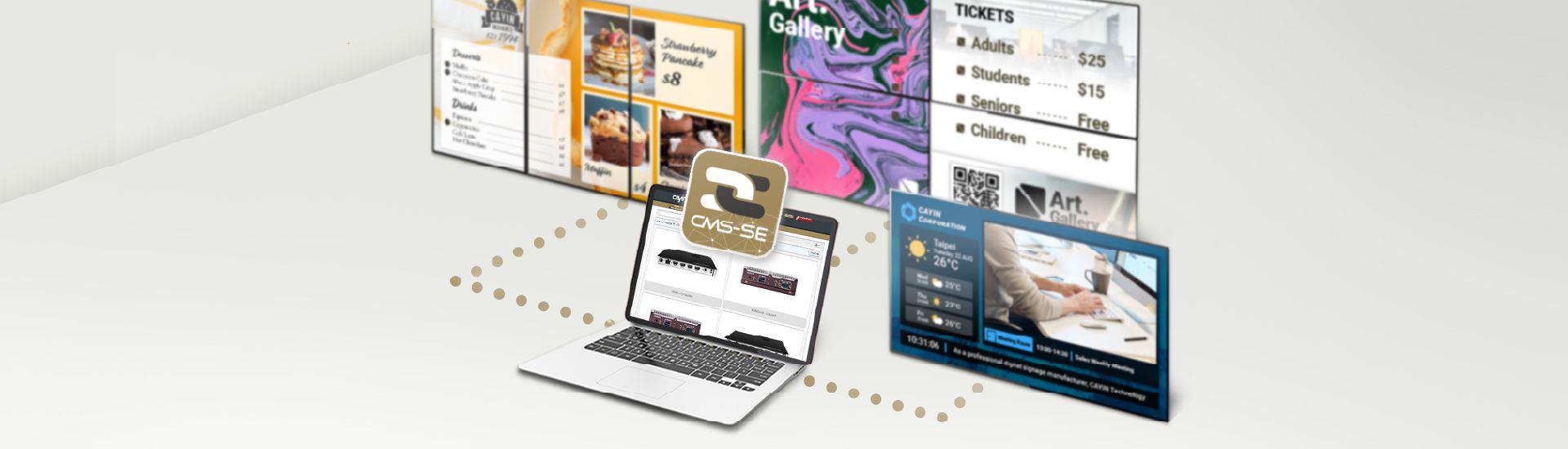
Usually, yes. Once you run about 100 screens across several sites, an on-premise CMS lets one team schedule, update and monitor every player from one place, while content and device data stay on your own network.
100 is a guide, not a fixed rule. A smaller network with strict data rules may need on-premise sooner, while a larger network of simple screens with reliable internet may still suit the cloud.
What changes when you reach 100 screens?
- Manual updates stop working: changing players one by one takes too long and leads to mistakes.
- Content varies by site: regions, stores and departments need different schedules under one brand.
- Faults are harder to see: without monitoring, a blank screen may go unnoticed until someone reports it.
- Bandwidth matters: sending large videos to every branch at once can strain the network.
- More people need access: head office and branches need different permissions.
- IT and audit requirements grow: you need to know who published what, and when.
Which CMS features matter at scale?
| Feature | Why it matters | In CMS-SE |
|---|---|---|
| Group management | Organize players by region, store or department | Up to five group layers |
| Central scheduling | Plan content for every group | Once, daily, weekly, monthly, yearly and by location |
| Batch configuration | Avoid setting up players one by one | Sync settings across players (requires CMS-PRO) |
| Monitoring | See problems before customers do | Screenshots of up to 15 players per page (requires CMS-PRO), plus email alerts |
| User permissions | Give each team the right access | Unlimited user accounts with different rights |
| Emergency messages | Reach every screen quickly | Broadcast in two clicks |
| Audit log | Prove what played and when | Timestamps for every publish and unpublish |
| Secure management | Protect the admin connection | HTTPS encrypted management connections |
See the full list on the CMS-SE specifications page. For wider protection, read our digital signage security guide.
How should you design the servers?
CMS-SE can take one of three roles, so the design can follow your organization:
- Main server: the central point for content, schedules and player management.
- Site server: installed at a branch to share the workload and save bandwidth between sites.
- Backup server: takes over automatically if the main server fails, until the main server is available again.
A single site can start with one main server. A national chain might add site servers in its regions, plus a backup server at head office. Administrators can also manage multiple CMS servers from the free CAYIN Signage Assistant app for Android and iOS.
Where can you install it?
- Your own server: hardware your IT team already supports, inside your network.
- A virtual machine or private cloud: CMS-SE is supported in virtual machines and cloud VMs such as Amazon AWS.
- Hosted for you: if you would rather not run a server, the CAYIN Cloud Service hosts it on AWS.
| Minimum requirement | CMS-SE |
|---|---|
| Operating system | Ubuntu 22.04 LTS, 64-bit |
| CPU | 2 GHz dual core |
| Memory | 4 GB RAM |
| Disk | 120 GB available (HDD or SSD) |
These are minimum figures. For a large network, size the server with your CAYIN partner. High-speed internet is required for installation and cloud-based services.
How should you budget for it?
CMS-SE is a one-time purchase, licensed by the number of players from 10 to 4,000. There is no yearly fee per screen, which makes long-term cost easier to predict for a large network.
A complete budget usually includes:
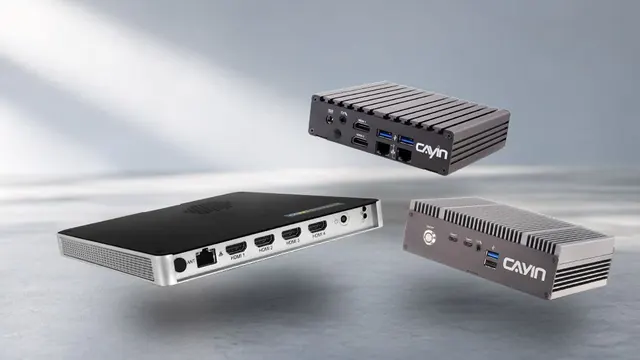
- SMP players and screens
- The CMS-SE license for your player count, plus CMS-PRO if you need its features
- Server hardware or a cloud VM, including any site and backup servers
- Installation, network work and staff time for content and maintenance
Plan the license for the number of players you expect in three years, not only today. For a quote, contact CAYIN.
How do you roll it out?
- Count and map: list screens, sites, network conditions and who manages each one.
- Design groups and permissions: mirror your regions, stores and departments.
- Choose the server design: decide on main, site and backup servers.
- Pilot: start with one or two sites and test updates, schedules and alerts.
- Roll out in phases: add sites in batches and avoid sending large files during business hours.
- Set routines: agree who checks alerts, backs up the system and approves content.
Which CAYIN option fits your network?
| Your situation | Suitable option |
|---|---|
| A few SMP players that do not need central management | SMP players on their own, with built-in SMP signage software |
| Up to 4,000 SMP players, multiple sites, failover, one-time purchase | SMP players with CMS-SE |
| Up to 1,000 mixed devices, including Smart TVs, Android devices and PCs, on a yearly subscription | CMS-WS |
| A smaller network, no IT staff, stable internet at every site | GO CAYIN |
Compare them in the Server Comparison Guide and in on-premise vs cloud digital signage software. To choose hardware, use the Player Selection Guide.
Frequently asked questions
How many screens need an on-premise CMS?
There is no fixed number, but about 100 screens across several sites is a common point to consider one. Strict data rules or unreliable internet can make on-premise the right choice for smaller networks too.
How many players can one CMS-SE server manage?
One CMS-SE server manages up to 4,000 SMP players, depending on the license purchased. Licenses range from 10 to 4,000 players.
Do SMP players need CMS-SE?
No. CMS-SE is optional. Every SMP player includes SMP signage software and can schedule and play content on its own. Add CMS-SE when you want to manage many players from one place.
What happens if the CMS server fails?
CMS-SE supports failover. If the main server goes offline, a backup server takes over the connection automatically until the main server is available again. This requires setting up a backup server.
Is CMS-SE a subscription?
No. CMS-SE is a one-time purchase licensed by the number of players. You still need to budget for the server or cloud VM it runs on.
CAYIN Technology in Brief
CAYIN Technology is a 22-year professional digital signage solution and software developer from Taiwan. By offering a complete portfolio of appliance-based digital signage solutions, CAYIN dedicates itself to being a reliable partner to clients worldwide and has successfully set up various applications globally. In order to best facilitate the deployment of its products, the company also provides tailored services to satisfy the ever-growing market demand for almost limitless applications.